Skvot · Handed off 2024
A bridge between student and lecturer
- Role
- UX/UI Designer
- Timeline
- Mar — Apr 2024
- Status
- Handed off 2024
Scope
- UX Research
- Competitor Analysis
- Wireframing
- UI Design
- Prototyping
Overview
What should Skvot’s first mobile app do, and what should it leave out?
Skvot is Ukraine’s largest pop-culture education platform, with courses across design, film, music and creative careers. The whole product lived on the web. There was no mobile app, and no competitor had one either: a 0→1 opportunity with no playbook to follow.
Process
Four stages, two goals the app had to serve
- App goals
- Moodboard
- Analysis
- Design concept
Goal 01
Give students one place for every important interaction with their course.
Goal 02
Steer more people toward Skvot itself, not just the course they bought.
Problem
Learning happened in three places at once.
Students watched lectures on the website, messaged lecturers on Telegram and checked feedback in a personal cabinet. The web platform had outdated flows, and content was scattered across disconnected sections.
Research
Learning from competitors, and from pop culture.
I mapped where each learning platform’s UX holds up and where it breaks, and built the visual direction from the culture Skvot already lives in rather than from other learning apps.
Competitor analysis
Where each learning platform’s UX holds up
| Feature | Prjctr | Mate Academy | Beetroot Academy | KAMA | Skillshare |
|---|---|---|---|---|---|
| Personal cabinet | Rough edges | Solid | Missing | Missing | Solid |
| Navigation | Rough edges | Solid | Solid | Hurts use | Rough edges |
| Course library | Solid | Missing | Solid | Solid | Solid |
| Course page | Solid | Hurts use | Rough edges | Rough edges | Missing |
| Homepage | Solid | Solid | Hurts use | Rough edges | Solid |
| Video lectures | Hurts use | Missing | Missing | Missing | Rough edges |
- Solid Good UX/UI, no notes
- Rough edges Unpolished, not critical
- Hurts use Poorly done, gets in the way
- Missing The product doesn’t have it
Moodboard
Poster type, collage and street style












Key insight
Research cut the “obvious” feature.
Homework submission seemed like a given for an education app. 82% of students submit in formats a phone can’t handle: PSD, AI, Figma links. 28 of 34 lecturers can’t open those files on a smartphone, yet most of them want to grade and leave feedback from it.
Cut submission for students
A near-zero-adoption feature, removed before a single screen was designed.
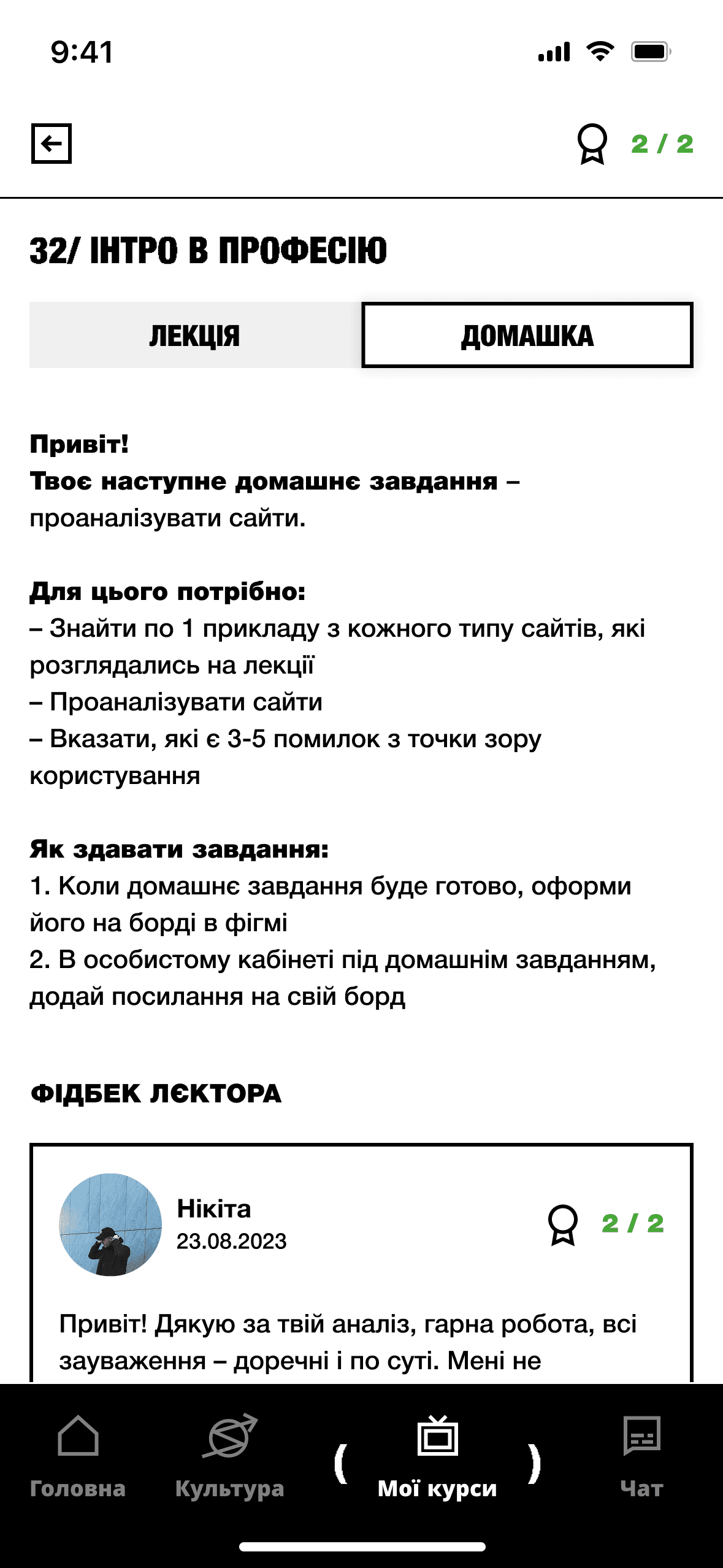
Build grading for lecturers
Scores and written feedback work fine on a phone.
Solution
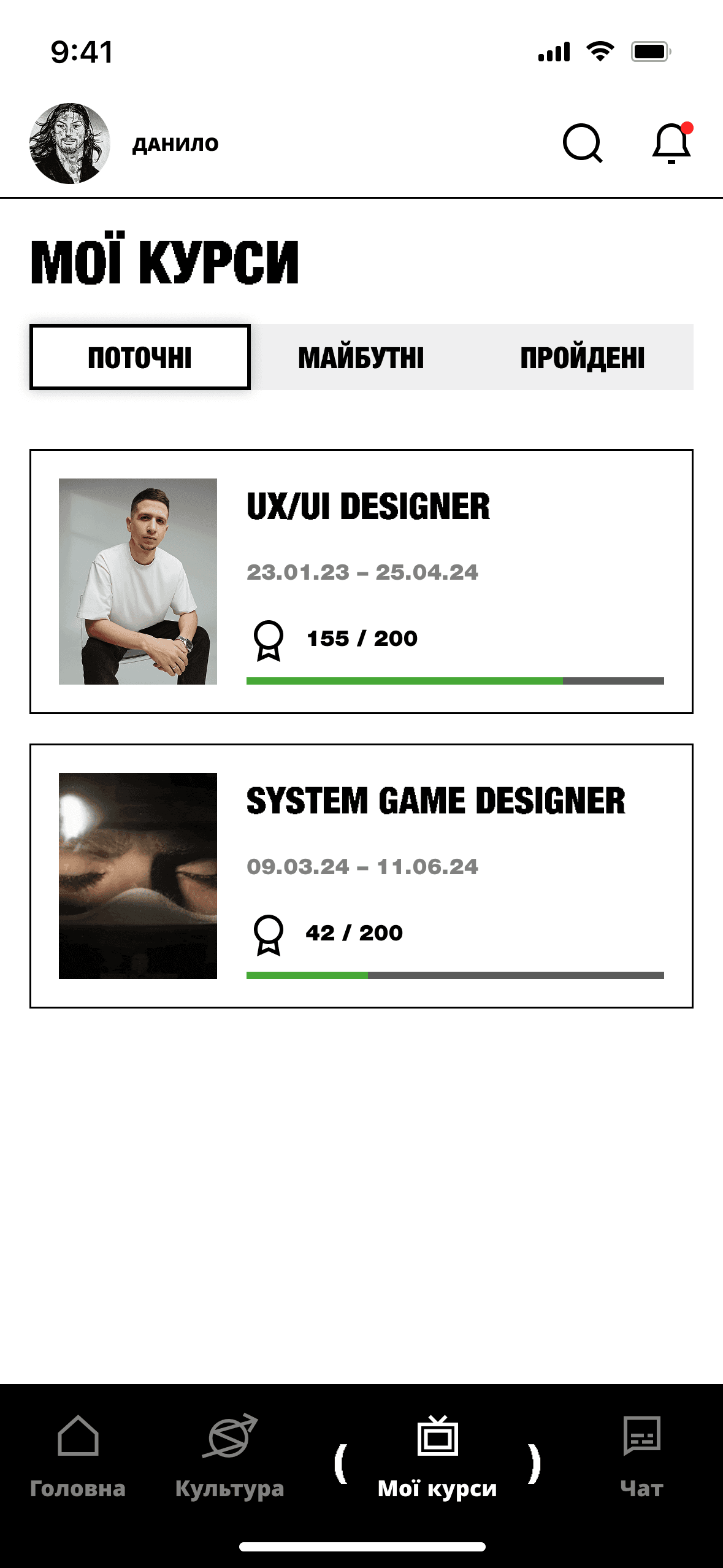
Four tabs that keep the whole learning loop in one app.
A weekly schedule and content feed, a full culture library, a My Courses hub with grades and feedback, and a direct chat that replaces Telegram.
Information architecture
Homepage: schedule first, culture woven through
- Profile
- Course tabs
- Schedule
- 1Week roadmap
- 2Content
- 3Course #1
- 4Content
- 5Content
- 6Course #2
- 7Filters
- 8End of page
- Notifications
- Search
- Date and time
- What’s next this week
- Enrolled courses
- Culture: articles, podcasts, courses
- Utility
Core flows
From this week’s lectures to a lecturer’s reply.
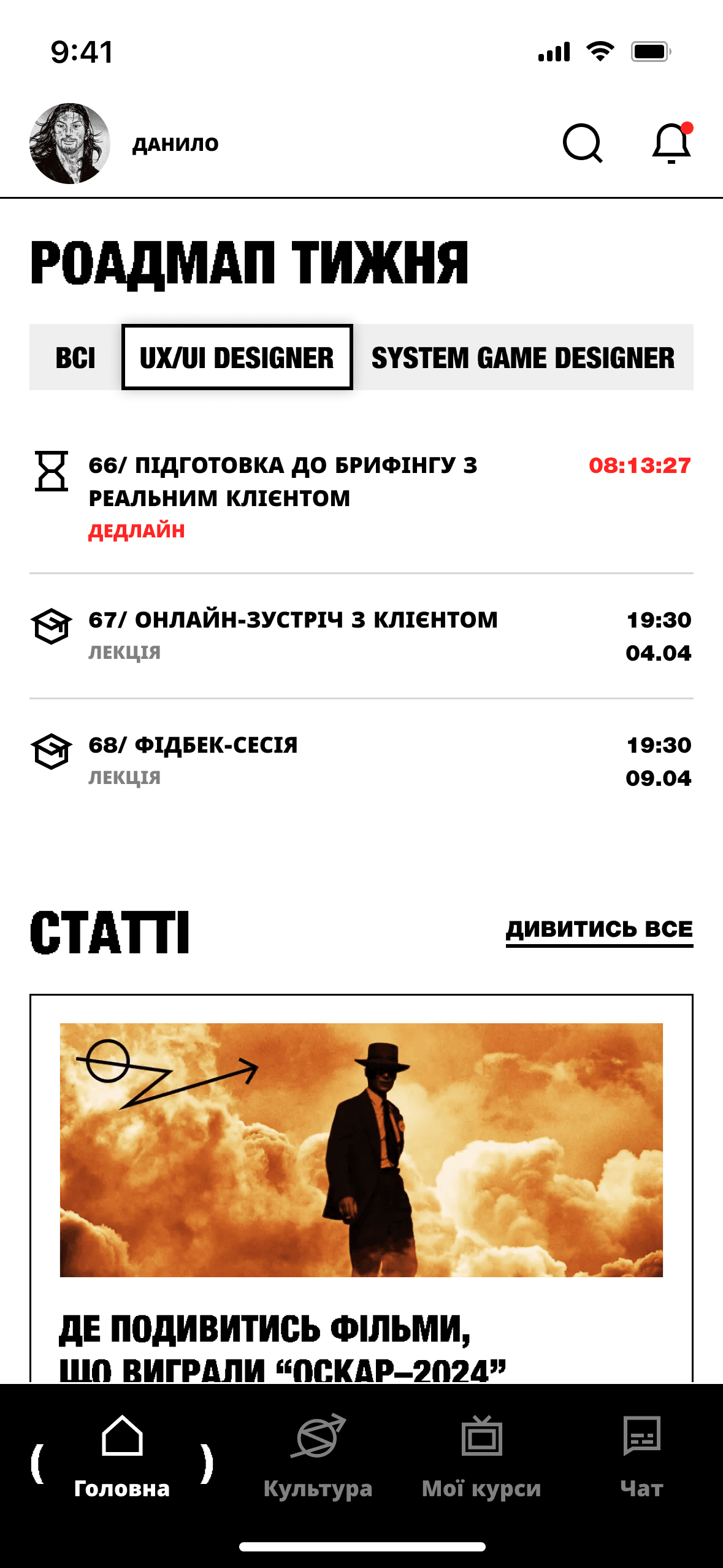
Home
The week’s schedule on top, the latest content below. No digging.
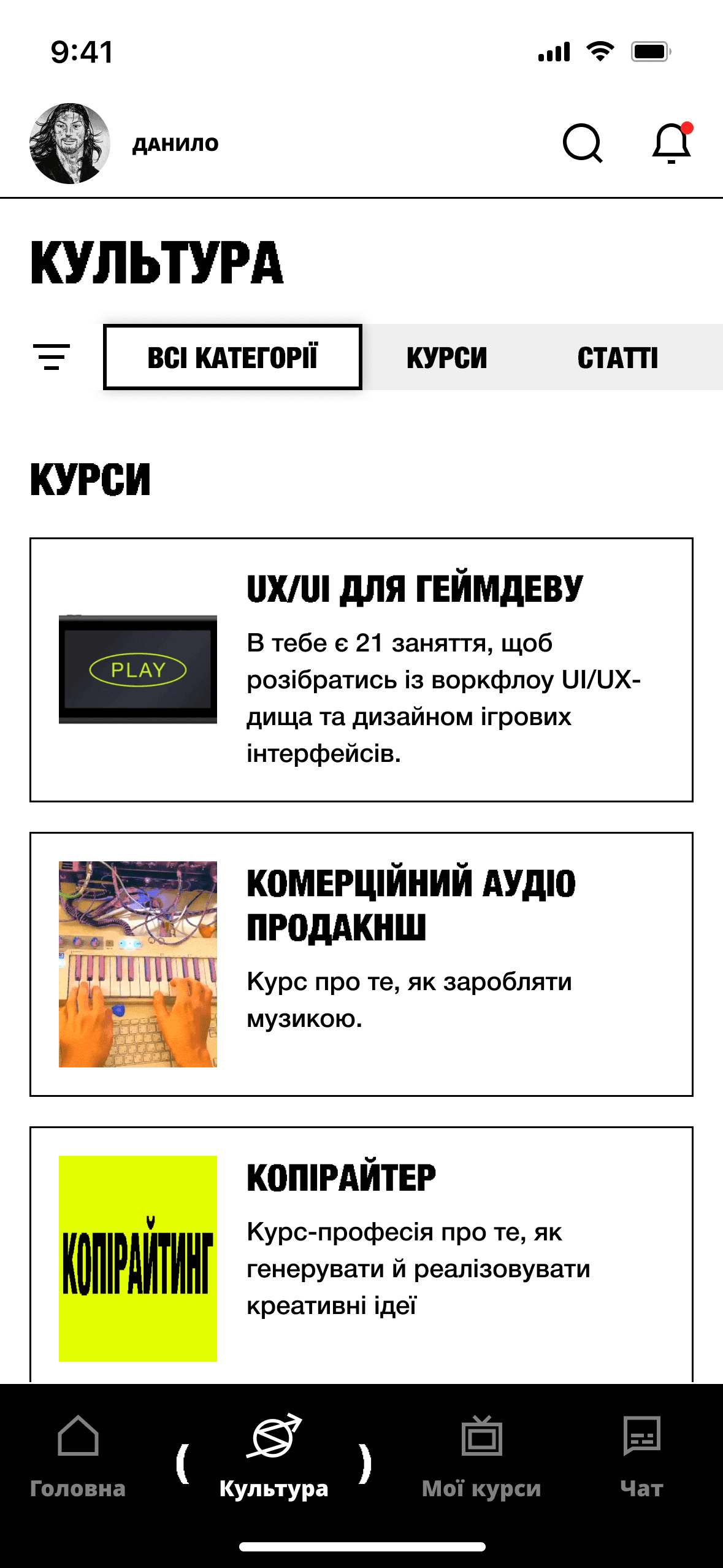
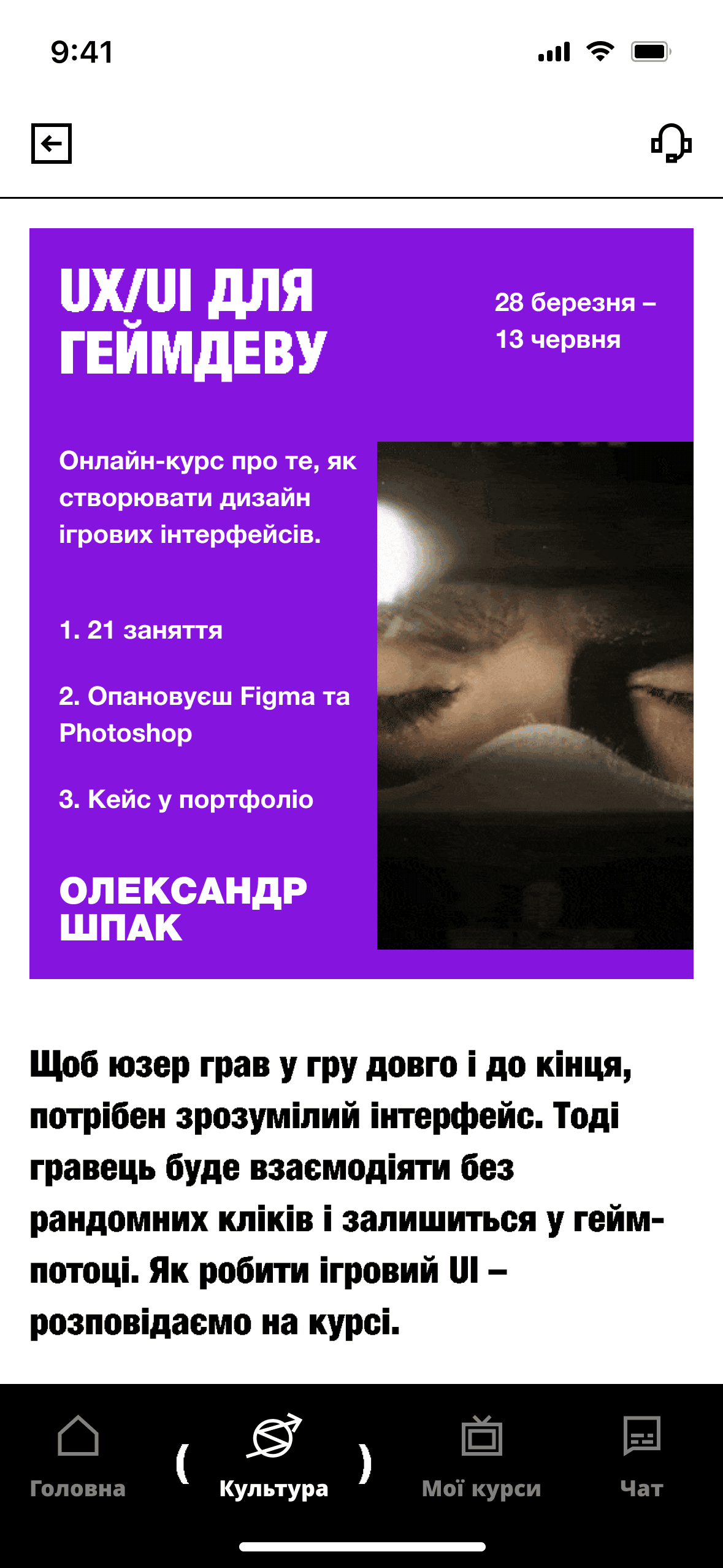
Culture
Courses, articles, podcasts and guides under one brand-aligned tab.
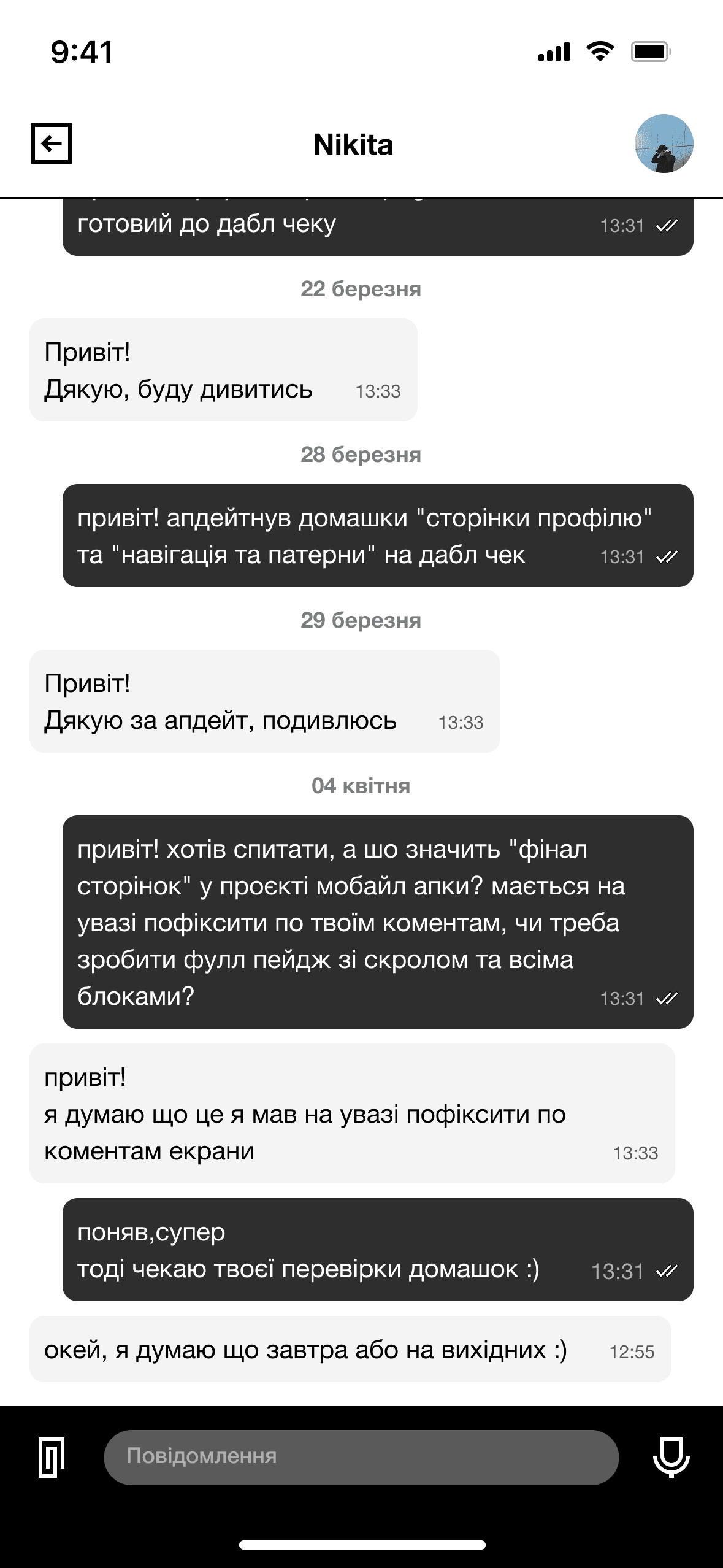
Chat
Students, lecturers and support, without leaving the app.
Outcome
A 0→1 concept in four weeks, and a metric for every decision.
Daily active users
A native app makes DAU trackable for the first time.
Course completion
Chat and faster feedback mean fewer students lost between assignments.
Content consumption
One Culture tab, easier discovery, sessions beyond the enrolled course.
Feedback turnaround
Grading from a phone removes the device barrier 28 of 34 lecturers faced.